
Nokia N81 SIP Settings for voip setup
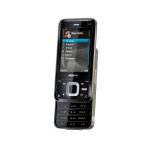
Now you can enjoy crystal-clear phone calls over the Internet using the new Nokia N81 phones. If you have access to a WiFi or 3G connection, you can save money by using the Internet to connect your call instead of using your mobile phone minutes. No roaming or out-of-network fees. Make your calls from anywhere in the world to anywhere for just a few pennies a minute. Simple to configure, inexpensive to use.
Click here to learn more about mobile voip services.
Configuration Guide
BEFORE YOU BEGIN, please note the following:
On the Nokia N81 some of VoIP settings are hidden by default, and you will need Nokia's new VoIP SIP application.
This application can be used to configure VoIP settings on your Nokia. You can create new VoIP profiles and modify the existing ones, and create and modify VoIP parameters and NAT/Firewall traversal settings and that are normally not visible on the device UI, such as codec settings and SIP domain-specific NAT/FW settings. It is also possible to save all the VoIP profile settings to a text file. It also enables VoIP over WCDMA which means you can make VoIP call over 3G Internet connection.
Using your PC you can download free Nokia SIP VoIP application from here.
Extract and install SIS file using Nokia PC Suite software on your PC.
Once installation is complete you will be able to see "SIP VoIP Settings" application under Applications menu on your Nokia, which you will need in STEP 5 of this configuration guide for better voice quallity or enabling VoIP over 3G Internet connection.
Here you can find Nokia N81 SIP settings for voip setup configuration guide with VoIPVoIP service.
STEP 1
Go to Tools / Settings / Connection / SIP settings. Create the following profile
Profile Name: VoIPVoIP Service
Profile: IETF Default
Access point: (your WLAN AP name)
Public user name: 5551231234@sip3.voipvoip.com ( Instead of 5551231234 account number example, use the account number assigned to you when signed up for VoIPVoIP service. When recorded your phone will show sip:5551231234@sip3.voipvoip.com )
Use Compression: No
Registration: "Always on "
Use Security: No
STEP 2
You do not need to enter Proxy Server settings
Proxy Server Address: none
Registrar Server:none
Realm: none
User Name: none
STEP 3
Enter the following for Registrar Server settings
Registrar Server: sip3.voipvoip.com (When recorded your phone will show sip:sip3.voipvoip.com)
Realm: voipvoip.com
User Name: 5551231234 (Instead of 5551231234 account number example, use the account number assigned to you when signed up for VoIPVoIP service. )
Password: Enter the same password used to login to your VoIPVoIP account
Transport Type: UDP
Port: 5060
STEP 4
Go to Tools / Settings / Connection / Internet Tel. Settings (If you cannot find it check Settings / Connectivity / Admin Settings / Net Settings)
Create a new profile for "voipvoip"(555123xxxx), name it "voipvoip"
Choose "voipvoip" as Preferred profile
STEP 5
For better voice quality or in order to be able to make VoIP calls over 3G internet connection you need to use Nokia SIP VoIP Application you installed.
Go to Applications on your phone and click on "SIP VoIP Settings" application. Choose VoIP services/VoIPVoIP (or the name of your VoIPVoIP account Internet profile.)
Click on "Profile Settings" and find "Allow VoIP over WCDMA" option and change it to "ON" This change allows VoIP over 3G connection on Nokia phones.
For better voice quality go to Codecs and delete all codecs except G729. There should be only G729 codec left under codecs settings
STEP 6
Reboot your phone. Once your phone is back on it will automatically register to VoIPVoIP.
Once it is registered you can start making calls.
Default call type: To switch between normal GSM calls or VOIP calls, navigate to Tools / Settings / Call / Default call type. Select Cellular to make normal calls to the phone number or Internet to use VoIP to call the number or address
Make Calls!
To dial any phone number that is part of the NANP (North American Numbering Plan), you must dial:
1 + Area Code + Phone number
To dial any phone number that is outside of the NANP (North American Numbering Plan), you must dial:
Country Code + City Code + Phone number
For example if you want to call Brazil (country code 55) phone number in Rio de Janeiro (city code 21) you must dial 5521 and phone number. + sign can also be used and number can be dialed as +5521xxxxxxx
If you can make calls over WiFi but not over 3G, please follow the configuration guide here.
Problems? Please click here for our voip troubleshooter.